
You Should Link Your Account!
Connecting your game account to an Email, Facebook, Google, or Apple account is one of the smartest moves you can make to keep all your hard-earned progress safe! It also makes switching to a new device a breeze — just log in and pick up right where you left off, no sweat.
Still on a Guest Account?
No worries, we've got you covered! Follow the steps below to secure your progress to an email address before it's too late.
|
⚠️ Important: Do NOT uninstall the game before linking your Guest Account to an email - or you risk losing all your progress! |
How to Link Your Account to Email
1. Relaunch the game, then head to Menu > Settings > Account and tap the Logout button. You may need to repeat this step 2–3 times to get it to appear!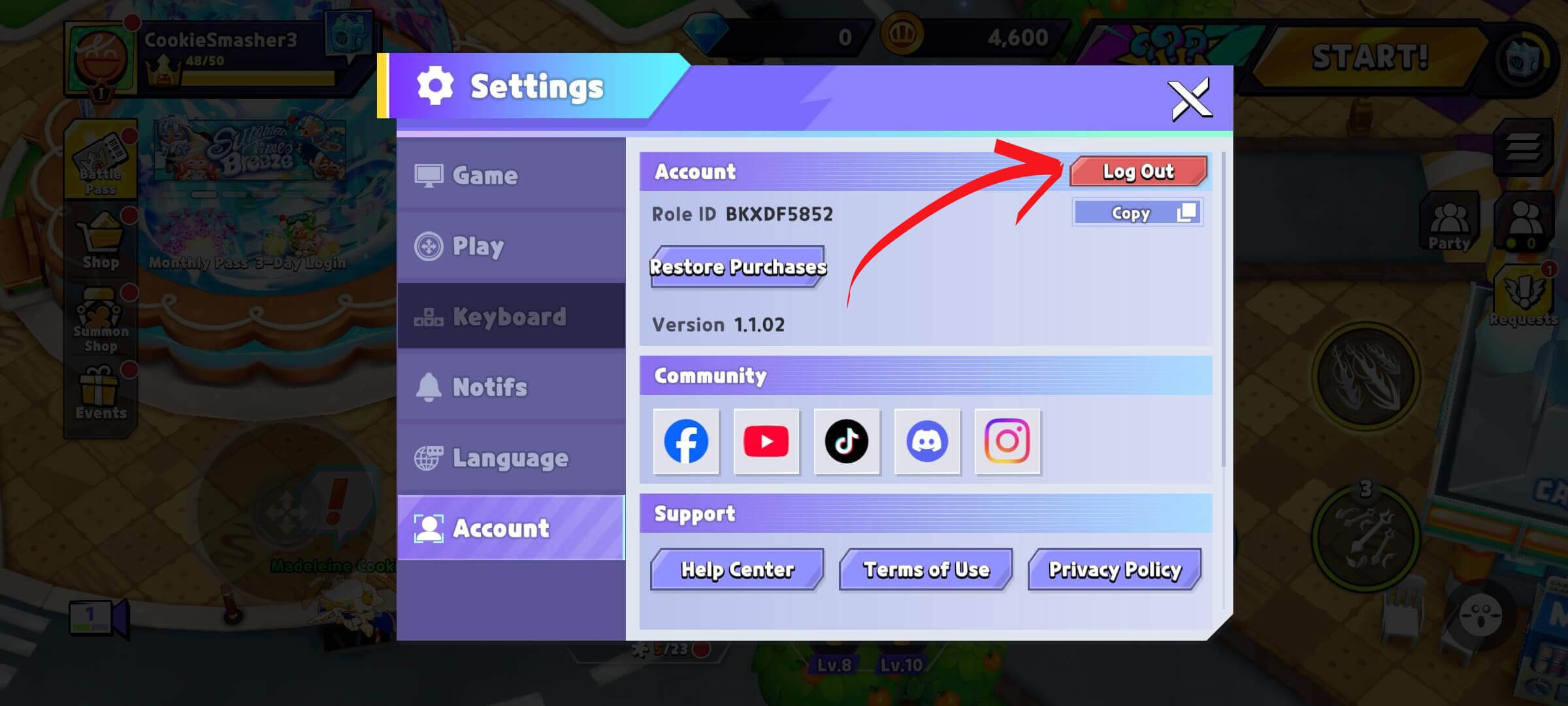
2. Once the system detects your Guest Account, the Login Window will pop up automatically!
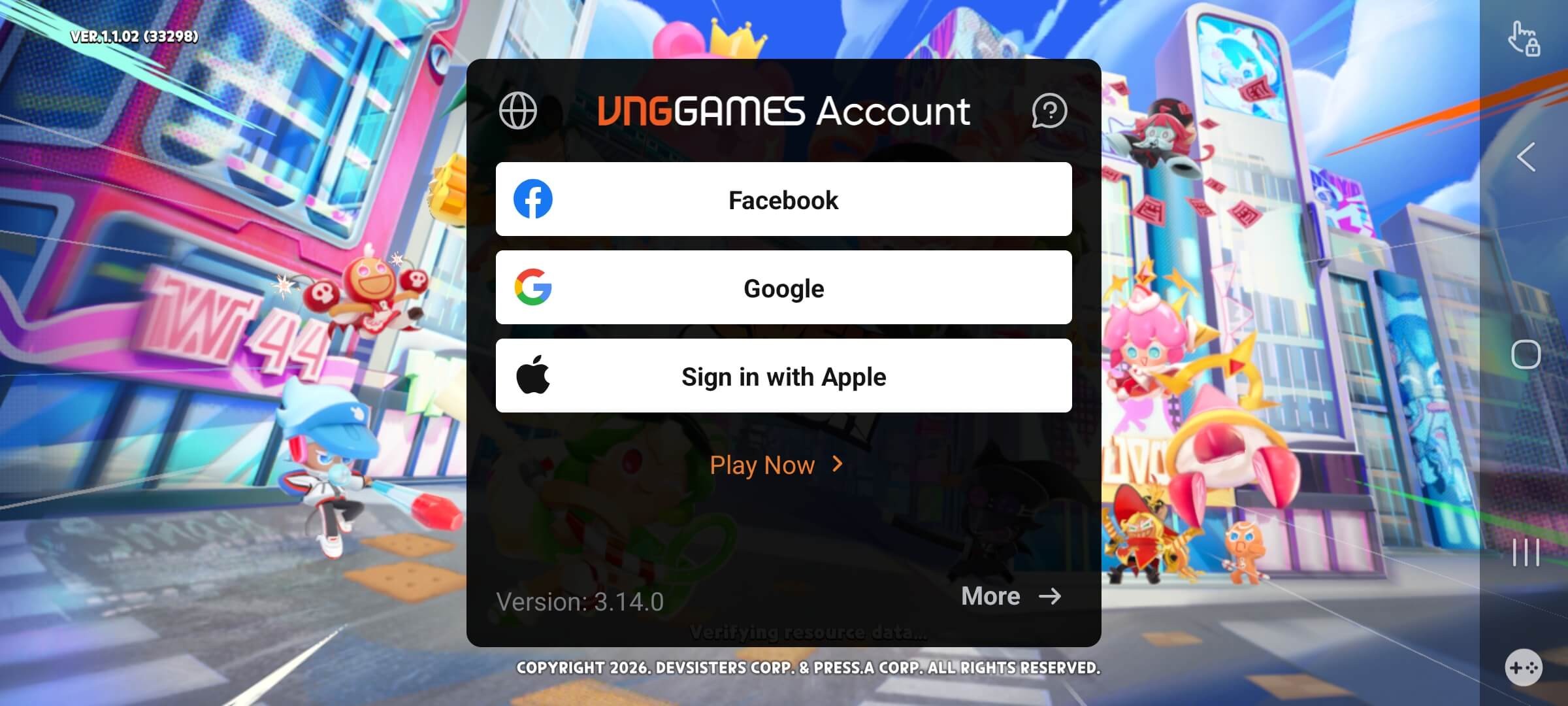
3. Tap Play Now.
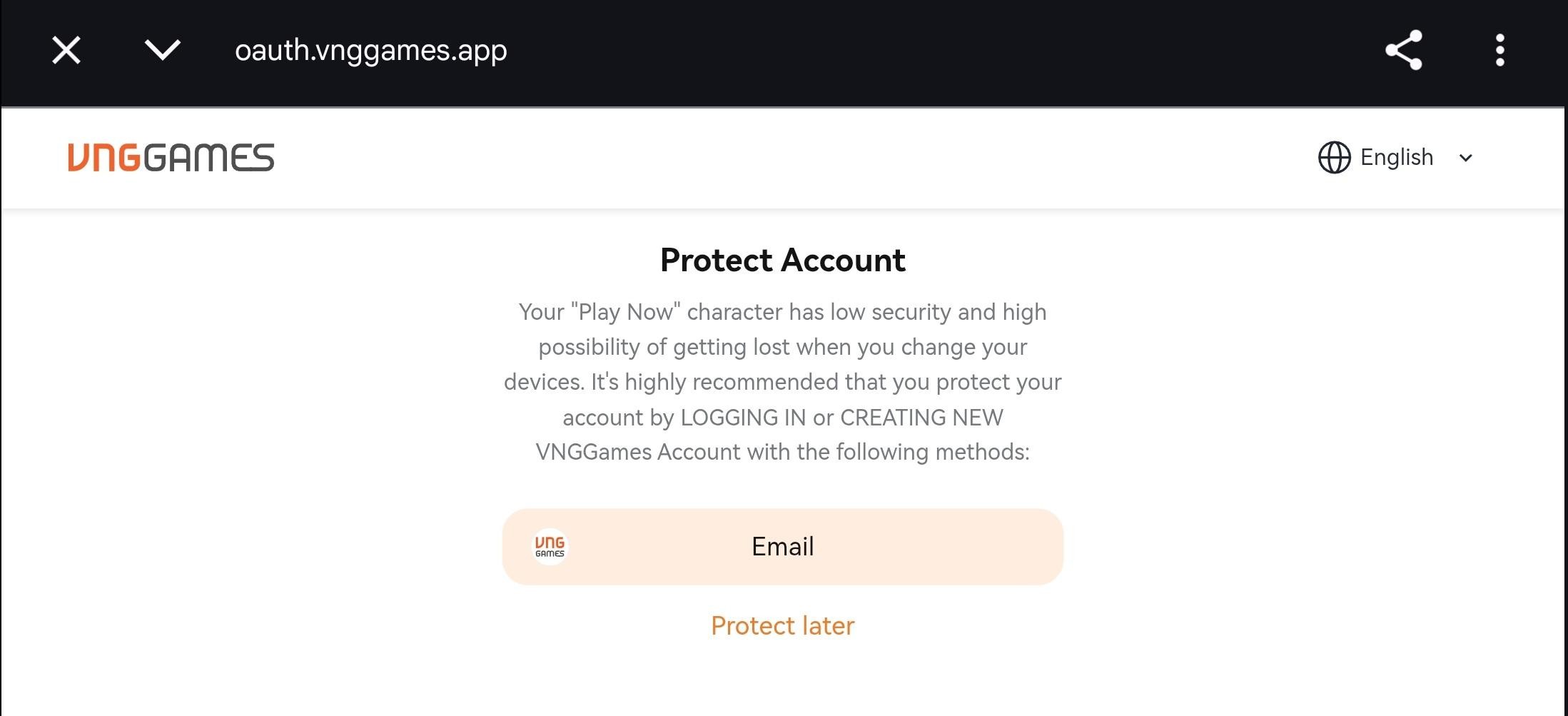
4. When prompted to “Protect Account”, tap Email to get started!
5. Fill in your details. If your email isn't linked to a VNGGames Account yet, the system will guide you through the registration process step by step!
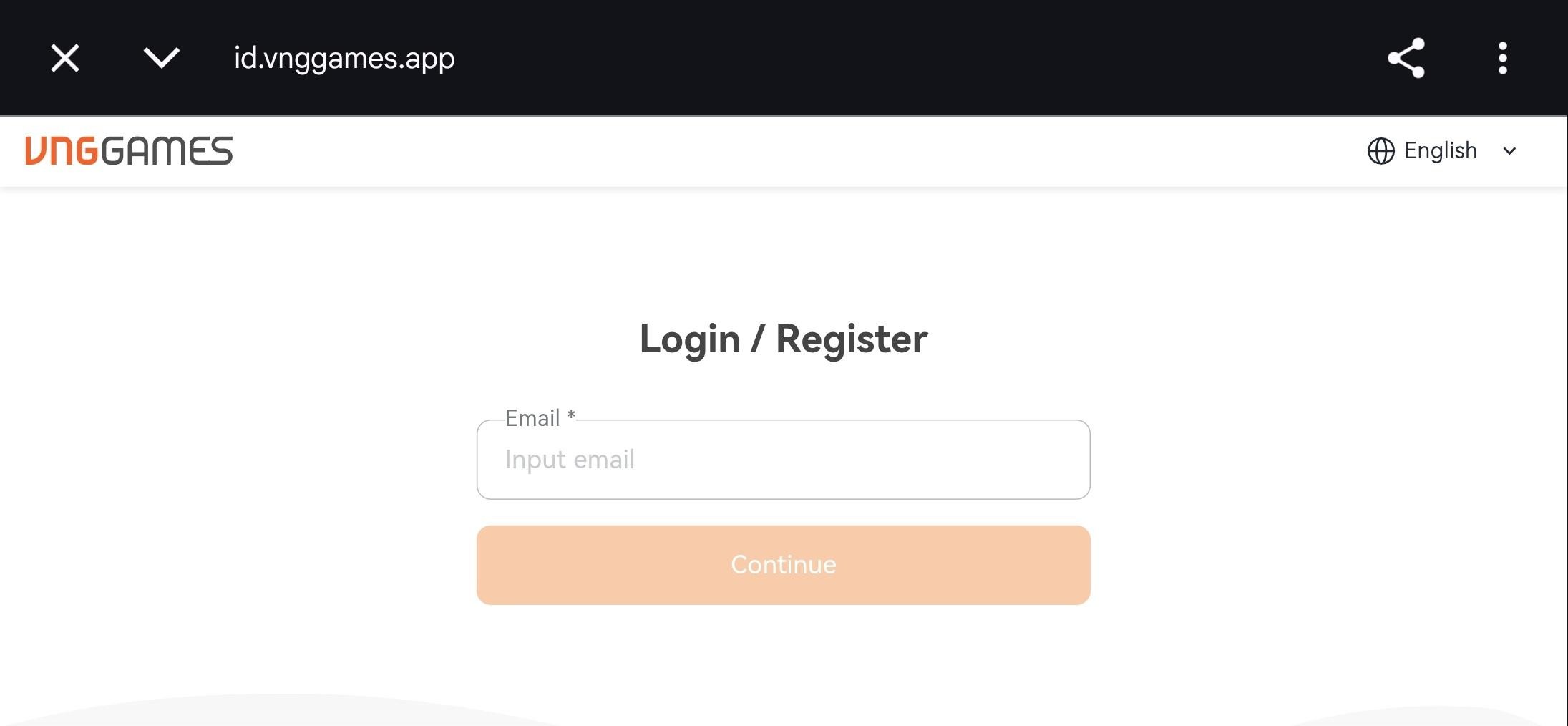
6. Complete the registration steps and you’re all set! Your account is now safe and sound — happy smashing!
Note: If the account linking prompt doesn't show up after logging out and back in, don't panic! Just log out and log back in one more time and it should appear!
Once linked, logging in via email is easy! Just tap More at the bottom right of the Login Window and select the Email option anytime! 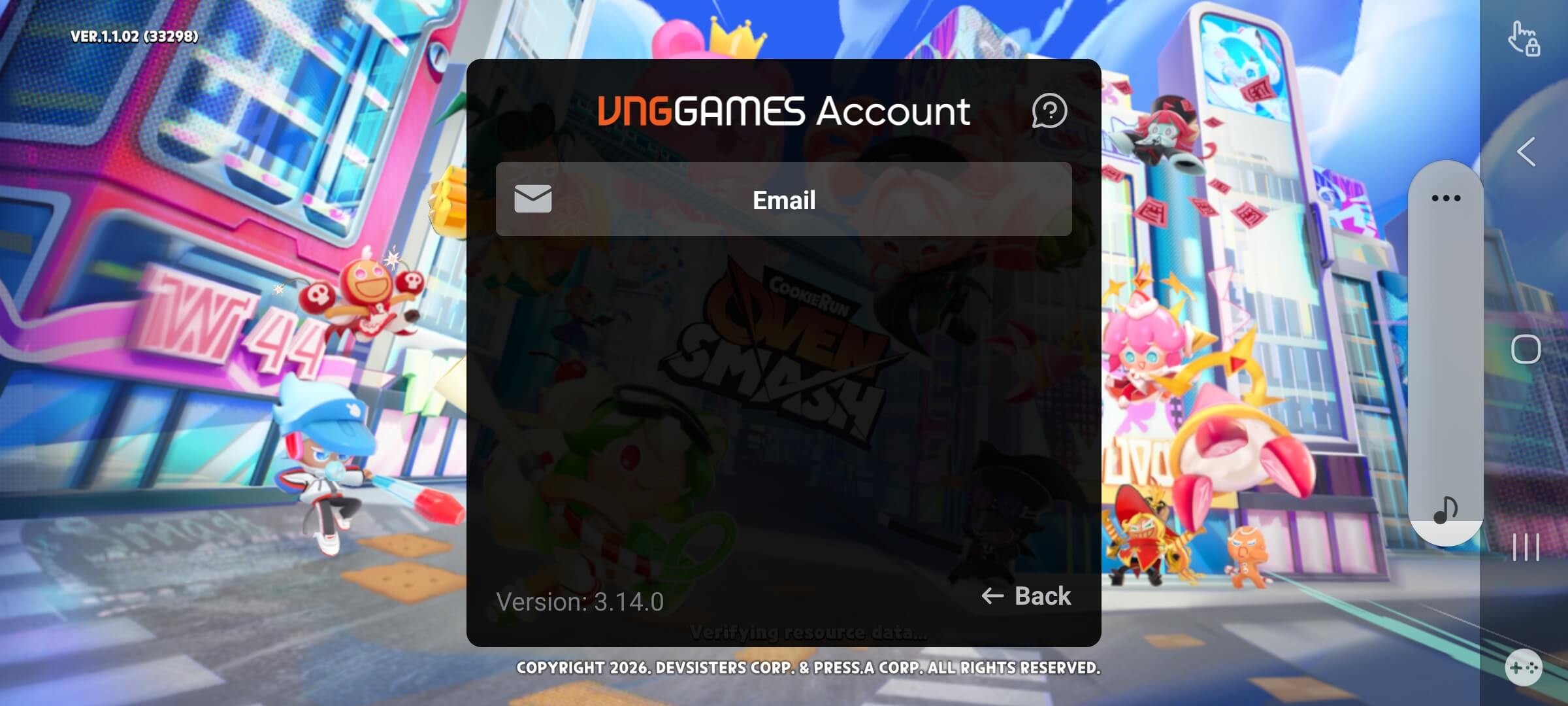
Need Help? We've Got You!
Got questions? Our Customer Support team is always ready to help. Reach out to us through any of the channels below: